


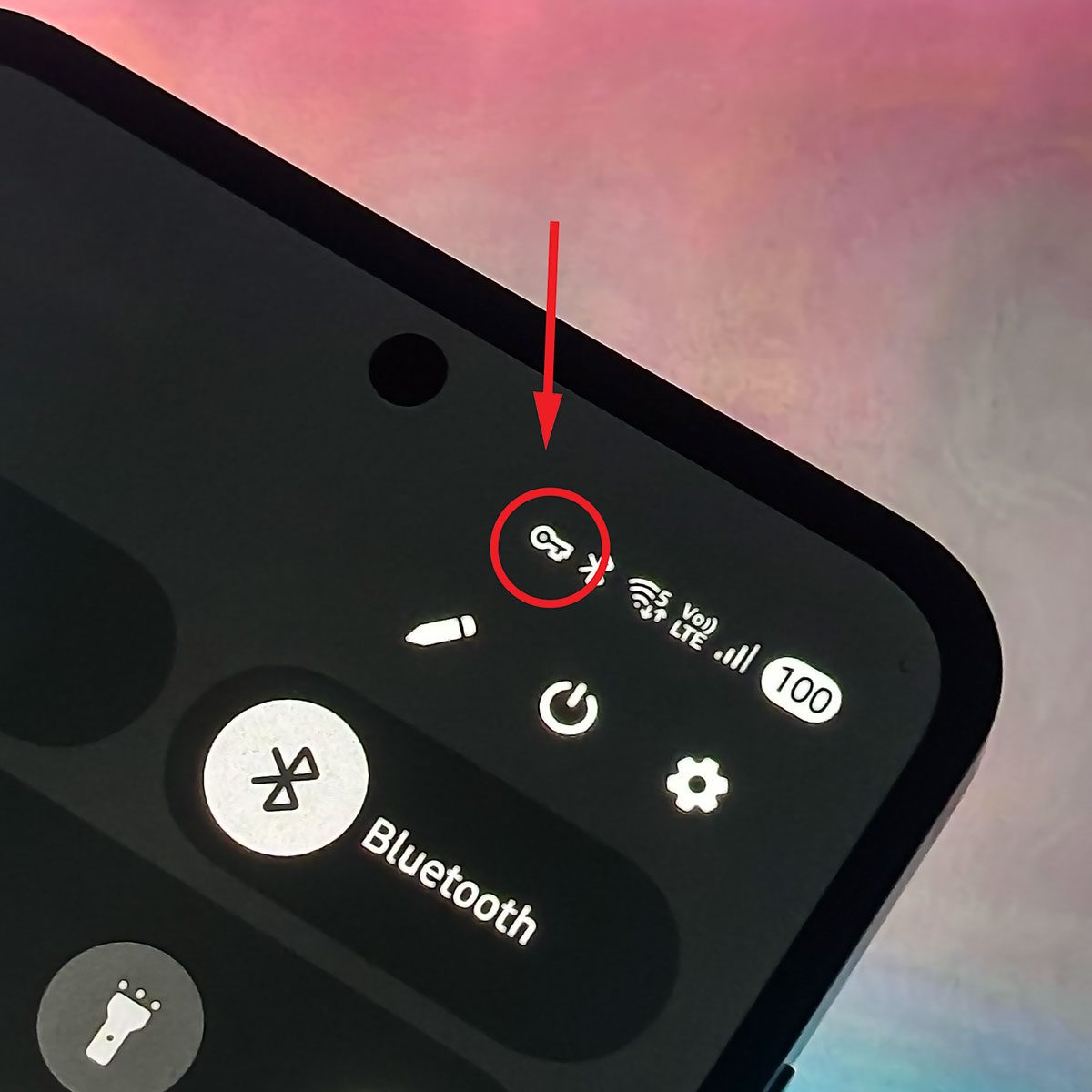
Wondering what the key icon on your Android means? We looked into it for you so that you'll know what to do next time you see it.
Anyone with a smartphone may occasionally notice small icons in their notification tray that they don’t recognize. One that puzzles users is the key icon on Android phones. We looked into it for you so that you’ll know what it means and what actions you need to take if it pops up on your phone.
What Does the Key Icon Mean?
Much like how other icons give you information about what features you’re using on your phone, the key icon on your Android is alerting you to the fact that you’re using a Virtual Private Network (VPN). The Android Help Center walks users through the steps required to set up and connect to a VPN and says that “when you’re connected, you’ll see VPN on,” as well as the key icon.
When it comes to connecting to a VPN, you have a few different options. You can connect to one only if you toggle the setting on or you can opt to always default to the VPN, the Android Help Center explains. You can also set up specific use cases. For example, “You can make a VPN work only for apps associated with your work profile.”
According to the Android Enterprise Help Center, you can also select which apps can utilize your VPN. The site expands on this, saying that “you can create either an allowed list, or, a disallowed list, but not both. If you don’t create a list, the system sends all network traffic through the VPN.”
What Is a VPN?
A virtual private network is a service that creates a secure, encrypted connection over one’s internet connection to protect the user’s privacy. It does so by rerouting one’s internet activity through a remote server (this is also known as “tunneling”).
Why Would You Use a VPN?
In many instances, the primary use case for a VPN is security. A VPN can hide a user’s personal information, like their IP address and location, from third parties.
The guest WiFi at your local coffee shop might be both free and convenient, but it’s unlikely to have the same type of security that your home WiFi or work network provides. VPNs are a way to connect securely from those public locations.
Many workplaces utilize VPNs for their remote employees, ensuring that their staff can complete all their work from home without sacrificing any of the necessary security features that the office WiFi might have.
Sources
- Connect to a virtual private network (VPN) on Android, Android Help Center
- Set up VPN on Android devices, Android Enterprise Help Center

